
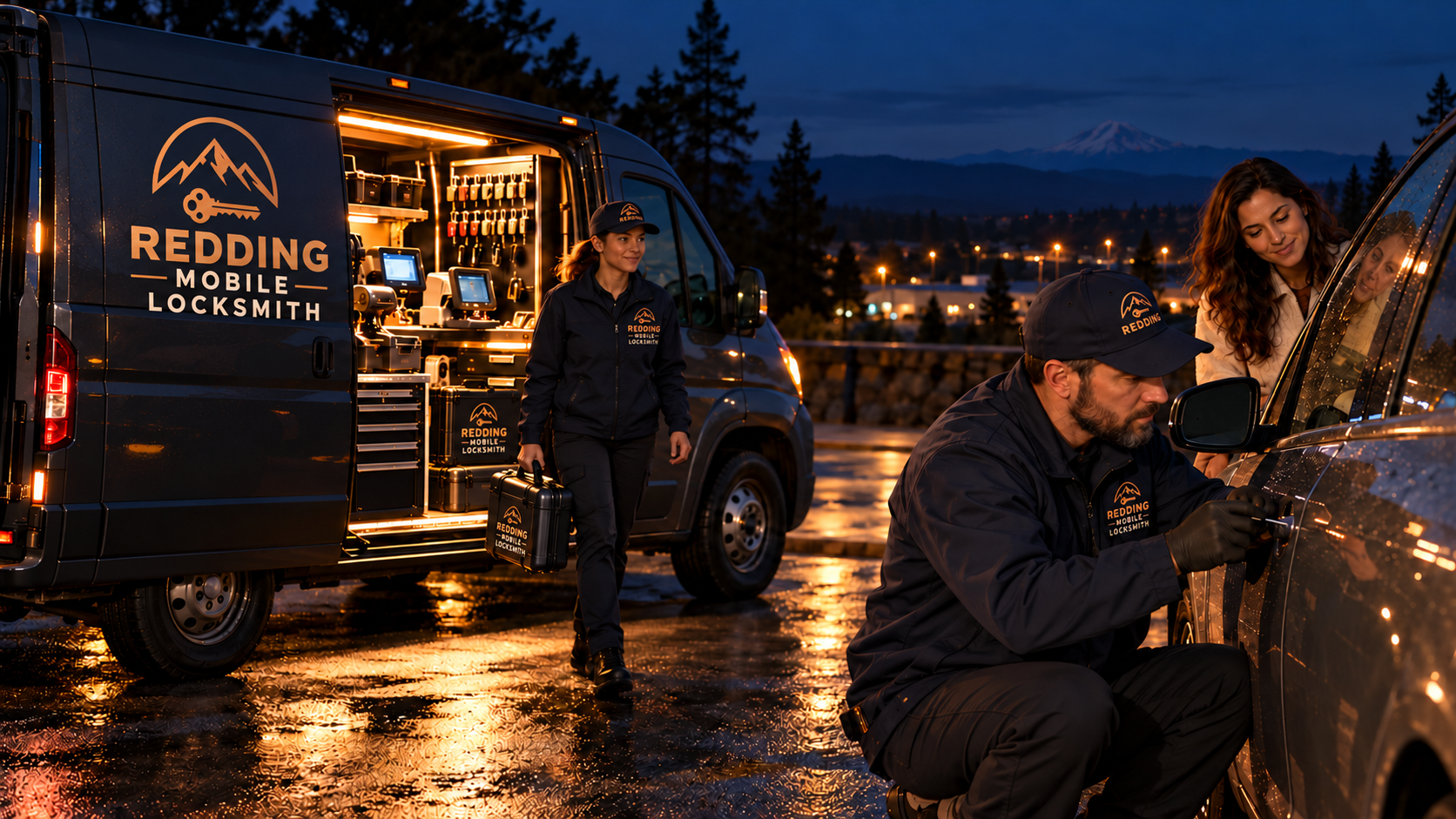
Home / After dark / Why a lockout call goes better with the exact location
Location and dispatch
Why a lockout call goes better with the exact location
Everything about a night lockout depends on one fact: where you are standing. A precise description lets a technician plan the route, bring the right tools, and find you without a string of anxious questions.
Location is the first thing a dispatcher needs
Picture the other end of your request. Someone is reading your message at a desk, or listening on a line, with no window onto your situation. Whatever you say becomes their entire picture of the scene, so it pays to give them something solid.
Think of a dispatcher as someone working from a blank map. They cannot see the road, the weather, or the lights around you. Every other detail you give, from the make of the vehicle to the type of key, comes second to a single question: where should the van go?
At night, that question carries more weight than it does by day. Signs are harder to read. Landmarks that look obvious in daylight disappear. A turnoff on a dark county road can be passed without anyone noticing, and a technician who overshoots may have to find a place to turn around on a narrow route.
A clear location also protects you. If you are alone and waiting, you want help to arrive once and arrive correctly. A good description cuts down the time you spend standing in the dark wondering whether anyone is coming, and it cuts down the number of back and forth messages that drain your phone battery.
What a precise location actually contains
A useful location has layers. Start with the community: Redding, Anderson, Shasta Lake, Cottonwood, Mount Shasta, Yreka, or any of the other towns we serve. Then add the road. Then add the nearest cross road or a clear marker. Finally, add where the vehicle sits within that spot, such as the north side of the lot or the second turnout on the right.
A map pin carries the same information in a different form. Most phones can drop a pin and send it by message. A pin is exact where your own description may be fuzzy, and it works even when you cannot read a road name. If your signal is weak, a short text with a pin often goes through when a voice call will not.
Some people prefer to read a location aloud and some prefer to type it. Both work. What matters is that the same information appears in the same order each time: place, road, marker, position. A steady order helps the person on the other end write it down without having to ask you to repeat yourself.
Whichever method you use, check that it matches what you can see. Phones sometimes place a pin a little off when signal is poor. If the pin shows one road and the sign in front of you shows another, say so. A mismatch noted early is easier to sort out than a technician arriving at the wrong spot.
- The community or town name.
- The road, route, or highway you are on.
- The nearest cross road, exit, or clear landmark.
- The side of the road or part of the lot where the vehicle sits.
- A shared map pin, if your signal allows it.
Landmarks that work in the dark, and ones that do not
The strongest landmarks are lit, large, and permanent. A lit sign, a tall building, a bridge, a gate with a number, or a highway exit marker will still be there when the technician arrives. A mailbox cluster or a distinctive fence can also work, as long as you describe it simply.
Be wary of landmarks that depend on time or light. A parked truck is not a landmark. A bright shop window may be switched off by the time help gets there. A tree is hard to see at night and looks similar to every other tree. Colours also shift under street lighting, so a red gate can look brown or grey.
If you are unsure, describe what is directly in front of you and what you passed to arrive. Saying that you came off Interstate 5 and turned toward the river, then drove past a closed gate on the left, gives a path to follow in reverse. That is often more useful than a name you are guessing at.
Rural roads need a different kind of description
In the valley towns, a street name and a cross street are often enough. On rural roads in Shasta County and Siskiyou County, they may not be. Long routes, unmarked turnouts, and private drives can all look alike in the dark. Highways such as 299, 44, 89, 97, and 3 run for long distances with few features, and a description like "on 299" alone is not enough.
Help the dispatcher by saying which direction you were travelling and which town you last passed through. Say whether you are on a straight stretch, a curve, a climb, or a descent. Mention any structure you remember, such as a bridge, a river crossing, a closed business, or a boat launch sign.
If you are on a mountain road around Lakehead, McCloud, Dunsmuir, or Mount Shasta, mention elevation cues if you have them: snow on the verge, a steep drop on one side, a switchback you just passed. Our guides on rural road lockouts after dark and mountain roads, cold nights and lockouts go further into these settings.
Parking lots, trailheads, and public places
A large lot can be as confusing as a country road. Many lots look the same at night, with identical rows and lamp posts. Say which side of the building you are on, which entrance you used, and which row you parked in. If the lot has numbered or lettered sections, give that. If it has none, describe the nearest door or sign.
Trailheads and lake access points have their own challenges. They may sit at the end of a gravel road, with no street address at all. They may be gated after dark. Tell the dispatcher if there is a gate, whether it is open, and where the road ends. Our pages on trailhead lockouts and lakeside parking lockouts explain how those places differ.
If you are waiting in a busy public place, tell the dispatcher where you will be standing, not just where the vehicle is. You may move into the light or inside a building while you wait. A technician looking for a person near a vehicle needs to know both. See also waiting for help in a parking lot for how to stay safe while you do.
When you do not know where you are
Sometimes you honestly do not know. You took a detour, a road closed, and your map app sent you somewhere unfamiliar. Do not guess. Guessing sends a technician in the wrong direction and costs time you cannot spare. Say plainly that you are unsure, and share what you do know.
Use your phone. Open the map app and read the road name from the blue dot, or press and hold to drop a pin. Look for the nearest sign, a mile marker, a mailbox with a number, or a utility pole tag. These small details often exist even on empty roads, and a dispatcher can work with a mile marker and a route name.
If your phone cannot give you a location, think about your last clear reference: the last town, the last turn, the last fuel stop. Say how long you drove since then, in plain terms, such as a short while or a long while. That gives a rough range. It is not ideal, but it is a better starting point than silence, and it can be narrowed down together.
Share your location safely
Sharing a pin or live location is useful, but be sensible about who receives it. Send it to the number or form you used to reach the locksmith, not to a stranger who offered help, and not to a public post. Be wary of anyone who contacts you unprompted and asks where you are.
A live location link updates as you move, which can be handy if you are walking to a lit spot. If you use one, tell the dispatcher you moved and why. Switch the sharing off once your situation is resolved. Phones will often keep sharing in the background unless you end the session yourself.
Remember that your own safety comes before convenience. If you feel unsafe where the vehicle is, move to a better place and give that new location instead. A lockout can be reopened wherever the vehicle stays. A person in an unsafe spot cannot be fixed afterward. For more on this, read choosing a well lit spot to wait.
What your location tells the technician before arrival
Location is not only about directions. It shapes preparation. A lot in Redding, a lakeside pull out near Shasta Lake, and a mountain turnout near Mount Shasta imply different approaches. The technician considers the surface they will park on, how well lit the area is, the weather likely there, and whether there is room for a service van beside your vehicle.
It also affects what equipment comes along. If the vehicle is on a steep or snowy shoulder, a technician plans for working in cold conditions, with gloves and extra lighting. If the lot is open and busy, the plan includes keeping the work area tidy and safe around moving cars.
Weather and season come into it as well. A dry summer evening in the valley is a different job from a wet or icy night in the mountain towns. Even a short note such as snow on the ground, heavy rain, or thick fog helps the technician arrive prepared for the conditions as well as the place.
None of this is possible without a clear picture of your spot. The more accurate your description, the more the visit fits the place. For a closer look at how the work differs by setting, see our pages on night car lockout and after hours emergency help.
Giving the location for a house or building
For a home or business, the address is the core of the location, but the address alone is rarely enough at night. House numbers can be hidden by trees, unlit, or missing. Mention the colour of the house, the type of driveway, which side the entrance is on, and whether there is a gate or a long approach.
If you are locked out of a home and standing outside, say where you are standing. If you have gone to a neighbour, a relative, or a business nearby, give that spot too. The technician should not approach a dark house on a hunch. They need to know where the person who requested help is waiting. See locked out of your home late at night for the full picture.
For apartments and shared buildings, include the building letter or number, the floor, and the entry point. For commercial buildings, say which door, whether a manager is on the way, and whether an alarm may sound. Our page on a commercial building lockout after hours shows how to describe those places.
Keep the location current
Things change while you wait. You may move to a better spot. A friend may arrive. The lot may empty. If anything about your position changes, tell the dispatcher at once. A technician following an old description may arrive and find no one there, and then have to start the search again.
Keep your phone on and near you, and keep notifications audible. Answer unknown numbers that arrive soon after your request, since they are likely to be the technician checking a detail. If you miss one, reply with your location again instead of leaving it open.
Once the technician is close, a short update helps: you can see their lights, they have just passed you, or you are waving from the north side. Little signals like these shorten the final stretch. They also let you confirm who is arriving, which is covered in verifying a technician identity at night.
Build the habit before you need it
The right time to learn your location habits is long before a lockout. Notice the road names where you park. Look at the numbers on posts and signs. Practise dropping a pin in your map app so that you can do it with cold fingers in the dark. These small habits cost nothing and pay off when stress is high.
You can also prepare the other side of the call. Keep your vehicle details in a note on your phone, and keep a spare key somewhere safe. Our guide on the night checklist before you call about a lockout pairs with this one and walks through everything else worth gathering.
When you are ready to ask for help, use the request form on our contact page. Call (279) 250-8941 or use the request form on the contact page. Put the location first in your message, then the vehicle, then anything unusual. A good location line is short, concrete, and easy to follow with only a dim screen to read.
Common questions
Is a street address enough for a night lockout?
Often it is not. Numbers can be unlit, hidden, or missing, and many lockouts happen in lots, on shoulders, or at trailheads with no address at all. Add the community, the cross road or landmark, and where the vehicle sits. A shared map pin is the most reliable addition if your signal allows it.
What if I cannot send a map pin?
Describe what you can see and what you passed on the way. Give the last town, the road name or number, and any sign or marker nearby. A mile marker, a bridge, or a gate with a number can help narrow the spot. If your signal is weak, a short text often goes through when a call does not.
Should I stay at the vehicle or move?
Stay if the spot is safe and lit. Move if it is not, and give the new location right away. Your safety matters more than keeping a lockout in place. A locked vehicle can be opened wherever it stands, but you should wait where you feel secure and where help can reach you.
Why would a technician need to know the surface or lighting?
These details shape how the work is planned. A steep shoulder, a snowy turnout, a gravel lot, or a dark rural road all call for different preparation. Knowing the setting lets the technician bring suitable lighting and park the van in a way that keeps both of you safe.
Can I share my live location with you?
Yes, if you send it through the same channel you used to reach us, and only to us. Be careful about sharing with anyone who contacts you unprompted. Tell us if you move, and turn the sharing off when the job is done, since some phones keep sharing in the background.
How do I reach you?
Use the request form on our contact page. Put the location first, then the vehicle and key type, then anything unusual. Keep your phone charged and nearby so you can be reached. Call (279) 250-8941 or use the request form on the contact page.